Main Page Prototype

Coheronia Wiki

A generated developer/reference wiki for the game as it exists right now: what is live, what is internal, what is planned data, and what art is real versus placeholder.

Welcome

Built Like A Wiki Main Page, Grounded Like A Registry

The job of this page is not just to say what exists. It is here to show what exists, what is actually player-facing, what is internal, what is planned-only data, and what visual surfaces are live, deferred, or deliberately placeholder. The markdown source remains authoritative; this wrapper is the clearer, more welcoming browsing layer.

This wiki is generated from current Coheronia repo data and includes live, internal, and planned-data references. Planned-data pages are not live gameplay unless marked as live.

How To Use This

Start here for orientation, then jump into the detailed docs for exact tables. Use the front page when you need to answer what is live, what is planned, what is missing an art pass, or what is present in data but not meaningful in gameplay yet.

What This Does Not Do

This page does not invent mechanics or silently redesign systems. Proposed sinks and future hooks are called out as proposals only, and dead or internal tokens stay explicitly labeled so they do not get mistaken for implemented player items.

Current Item Icons
43
Every current item id has a canonical icon in art/generated/items.
Equipment Entries
13
The wiki covers live gear, dead accessories, and equip-route edge cases.
Live Enemies
6
All live enemy families have documented drops and authored sprite coverage.
Planned Hooks
10
Planned enemy families already point at future items that stay clearly non-live.
Browse

Browse The Game

These topic portals are meant to feel like a real wiki front page: jump by system, not by filename.

Wood icon
Current Live Start here for current player-facing and obtainable behavior before browsing broader registries.
Torch icon
Recipes First-class recipe pages with station, inputs, raw outputs, result route, and actual result in play.
Ore icon
Items Browse the full item registry, including current items, source-only branches, internal tokens, and planned hooks.
Armor icon
Equipment Live gear, dead accessories, equip-route edge cases, and page-per-equipment coverage.
Slime gel icon
Bestiary Live enemy pages, planned enemy hooks, and direct links into drop-bearing leaf entries.
Bronze ingot icon
Blocks Terrain, farming states, resource nodes, settlement blocks, and page-per-block reference entries.
Town Hall button icon
Crafting Stations Station pages, build costs, hosted recipes, and route surfaces including Town Hall and by-hand crafting.
Raw crystal icon
Status Browser Jump by current-live, planned-data, source-only, dead, and internal-token classifications.
Ore icon
Item Graph Rendered wiki-local graph for acquisition, crafting, equipment routes, and source-rich pressure points.
Goals button icon
Skills Live Miner lane, planned lane data, and the next definitions needed before skill expansion.
Tiny core icon
Planned Data Future-facing data references that stay clearly marked as not implemented gameplay.
Pick icon
Internal Tokens Implementation bridge tokens that should not be confused with normal player-facing items.
Character button icon
Character Types Species, roles, traits, and ancestries, each with their own leaf pages.
Sword icon
Weapons A focused browse page for the weapon family, similar to a dedicated weapon-category wiki page.
Inventory slot icon
Images And Placeholder Rules Real art, procedural fallback, and why placeholder UI art should not be treated like missing files.
Goals button icon
Image Continuation Future image-work handoff, missing/deferred surface routing, and public-safety notes.
Town Hall HUD button icon
HUD Asset Replacement Studio Exact drop-in canvas contracts and a ready-to-paste image-editing brief for every dock piece.
HUD vessels at partial runtime values
Known Issues Current presentation defects, intentional scope limits, and the evidence required to close them.
Systems

Current System Watchlist

The important question is not only what exists, but what currently matters and what still lacks downstream meaning.

Design Pressure
Combat loot is ahead of its sinks slime_gel, wet_fiber, tiny_core, scrap_weapons, and oil_rags all exist cleanly but still do not reshape player choices much.
Dead End
Metallurgy has visible branch stops silver_ingot, bronze_ingot, and crystal are great planning anchors because they are real, live, and still under-consumed.
Known Issue
Gear coverage is live; refresh and motion need polish 120 body-specific crude-armor/tool PNGs ship. Some transitions can miss or misalign an overlay, and pick/axe motion still snaps across three poses.
Defined But Dead
Accessories already create planning pressure ring_band and amulet_focus are defined cleanly enough that they naturally invite near-term sink planning.
Clarity Need
World-only and internal tokens need strong labeling The wiki now keeps block-state items, UI surrogate icons, and internal result tokens clearly separated from real backpack or equipment items.
Trajectory
The page can grow outward cleanly Because the content is data-grounded, this front page can become more public over time without losing maintenance accuracy.
Why the new columns matter The wiki now tracks more than presence: it tracks relevance, storage, player-facing status, sink status, and next likely use.
Column What it prevents Planning value
Storage World blocks and stockpile-only outputs getting mistaken for normal carried items. Shows where the object actually matters in runtime flow.
Player-facing? Internal tokens or block states getting documented like real player inventory items. Keeps the wiki honest about what the player can truly see or hold.
Current gameplay use Source-only items looking more important than they really are today. Turns the page into a readiness and value map, not just a registry dump.
Sink status Dead ends hiding inside otherwise polished-looking item chains. Makes the next design and implementation pressure obvious.
Recommended next sink Planning sessions starting from scratch every time. Converts the wiki into a live design-maintenance surface.
Image ref and fallback Placeholders and safe procedural fallback being reported as missing art bugs. Keeps image work scoped to the surfaces that actually need it.
Recent changes to the wiki surface What this maintenance pass added to make the registry easier to use and easier to grow.
Torch icon
Moved under its own wiki registry The canonical source now lives at docs/wiki/wiki.md with a separate wrapper at docs/wiki/index.html.
Ore icon
Connected to the strict audit docs The front page now acts as a home layer above the item matrix, item graph, and image inventory.
Slime gel icon
Explicit chance tables and route notes Live enemy drops, recipe inputs and outputs, station routing, and internal token caveats are now surfaced directly.
Inventory button icon
Rebuilt as a real front door The wrapper now behaves more like a wiki main page instead of a plain document shell, while staying grounded in local repo truth.
Images

Visual Coverage And Placeholder Rules

This is where the wiki becomes especially useful for maintenance: it separates missing art from safe fallback and from deliberate placeholder work.

Runtime image families Authored path families, current live state, and the actual fallback behavior.
Surface Authored path Current state Why it matters
Item icons art/generated/items/<id>.png Complete for all 43 current item ids Missing art is not a runtime break because BlockRegistry.item_icon() generates a stable fallback swatch, but canonical icons are already present now.
Enemy sprites art/generated/enemies/<id>.png Complete for all 6 live enemy families Enemy art is currently healthy and should not be mistaken for an active gap.
Primary HUD kit art/source_templates/hud_dock/art/generated/ui_painted/ 19 native layers plus one JSON layout live Static chrome is replaceable without baking runtime values, icons, counts, fills, or state.
Player gear overlays art/generated/player_gear/<item_id>_<body_id>.png 120 body-specific crude-armor/tool PNGs live Uncovered equipment falls back procedurally; transition refresh/alignment and swing continuity remain active issues.
Opening scenes art/generated/opening/<scene_id>_01.png... Eight pools / ten authored PNGs live The plotted fallback remains available; future work is optional animation expansion rather than an empty family.
Reference surfaces and sample icons Real local images used by the runtime and the wiki wrapper.
Registry

Reference Registry

When you need the denser evidence behind this front page, these are the authoritative supporting surfaces.

Ore icon
Items Full item landing page with grouped browse tables and links to every item leaf page.
Armor icon
Equipment Equipment registry with tools, weapons, armor, accessories, and route-aware leaf pages.
Stone icon
Blocks Block families and dedicated block pages for terrain, ore nodes, farming states, and protected structures.
Slime gel icon
Bestiary Enemy landing page with live and planned slices plus links to every enemy entry.
Character button icon
Character Types Species, roles, traits, and ancestries pulled into their own category registry.
Town Hall button icon
Crafting Stations Work surfaces, build costs, and recipe host pages modeled more like a true crafting-station wiki section.
Torch icon
Recipes Recipe index and leaf pages for station, input, output, route, and actual result continuity.
Raw crystal icon
Status Browser Current-live, planned-data, dead, source-only, and internal-token slices in one place.
Ore icon
Rendered Item Graph Static SVG view of the live acquisition and crafting flow, made for wiki browsing.
Goals button icon
Skills Skill tree status, live Miner lane, planned lanes, and future work definitions.
Torch icon
Wiki Markdown The long-form source page with storage, use, sink status, and image columns across current and future content.
Wood icon
Item And Recipe Matrix Strict inventory of item ids, equipment, stations, routes, and recipe edge cases.
Character authority icon
Variable Matrix Current authorities, persistence ownership, runtime consumers, fallbacks, and active presentation defects.
Ore icon
Strict Item Graph Audit Full acquisition and crafting graph source with source-only, dead, and internal labels.
Inventory button icon
Image Inventory Matrix The image-family audit: present art, placeholder art, runtime fallback, and what still needs to be created.
Bronze ingot icon
Asset Roadmap Future art program and asset-pack planning, useful when deciding what to author next.
Settings button icon
UI Asset Gaps Dedicated view of UI hook status, placeholder surfaces, and replacement opportunities.
Screenshots

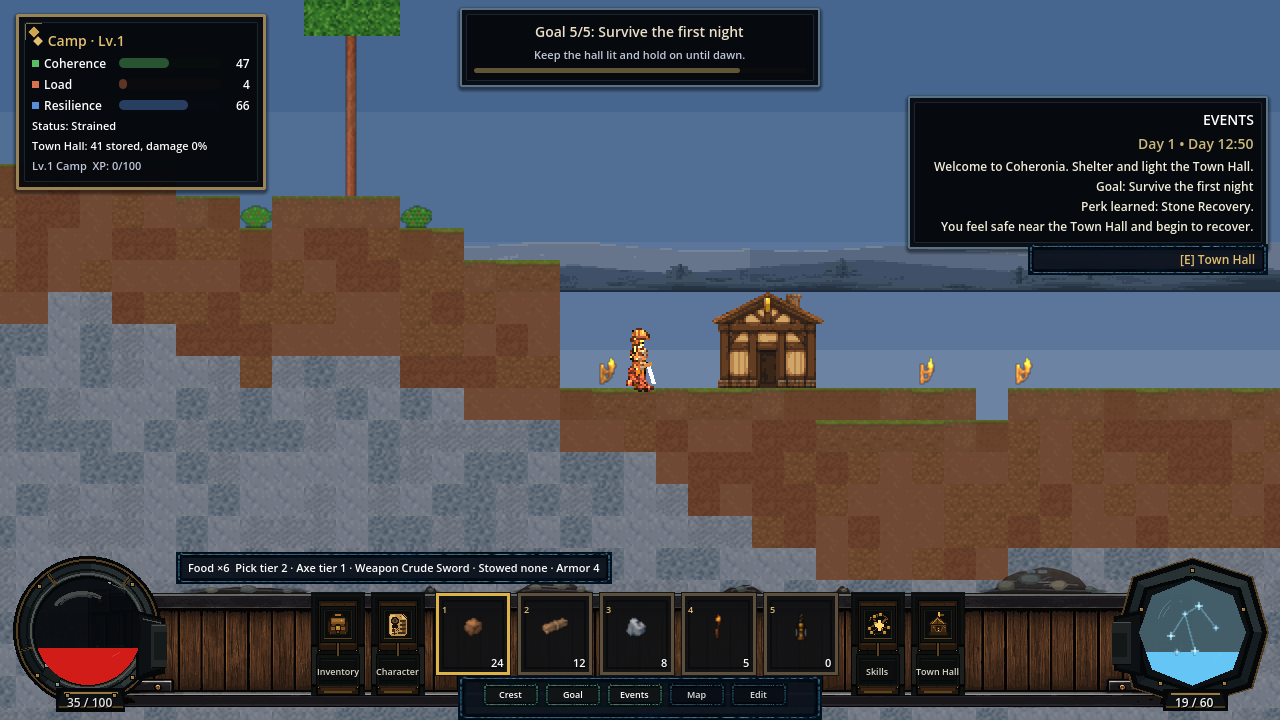
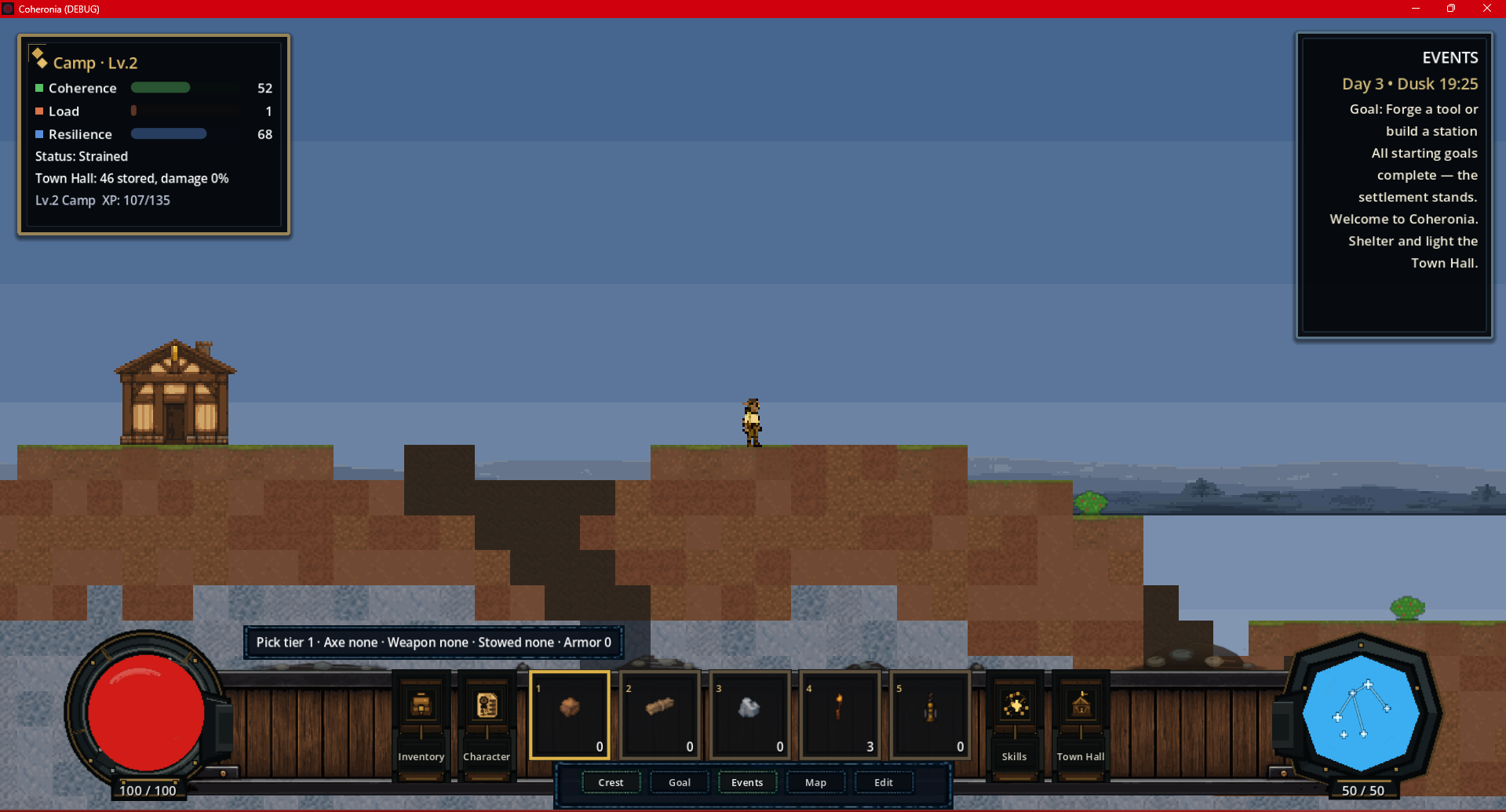
Current Live UI

This capture is the current gameplay interface. Earlier staged screenshot-tour images are retained in the repository for history, but are not used here as live UI evidence.