PyPortal Titano Weather + Clock (CircuitPython Firmware)
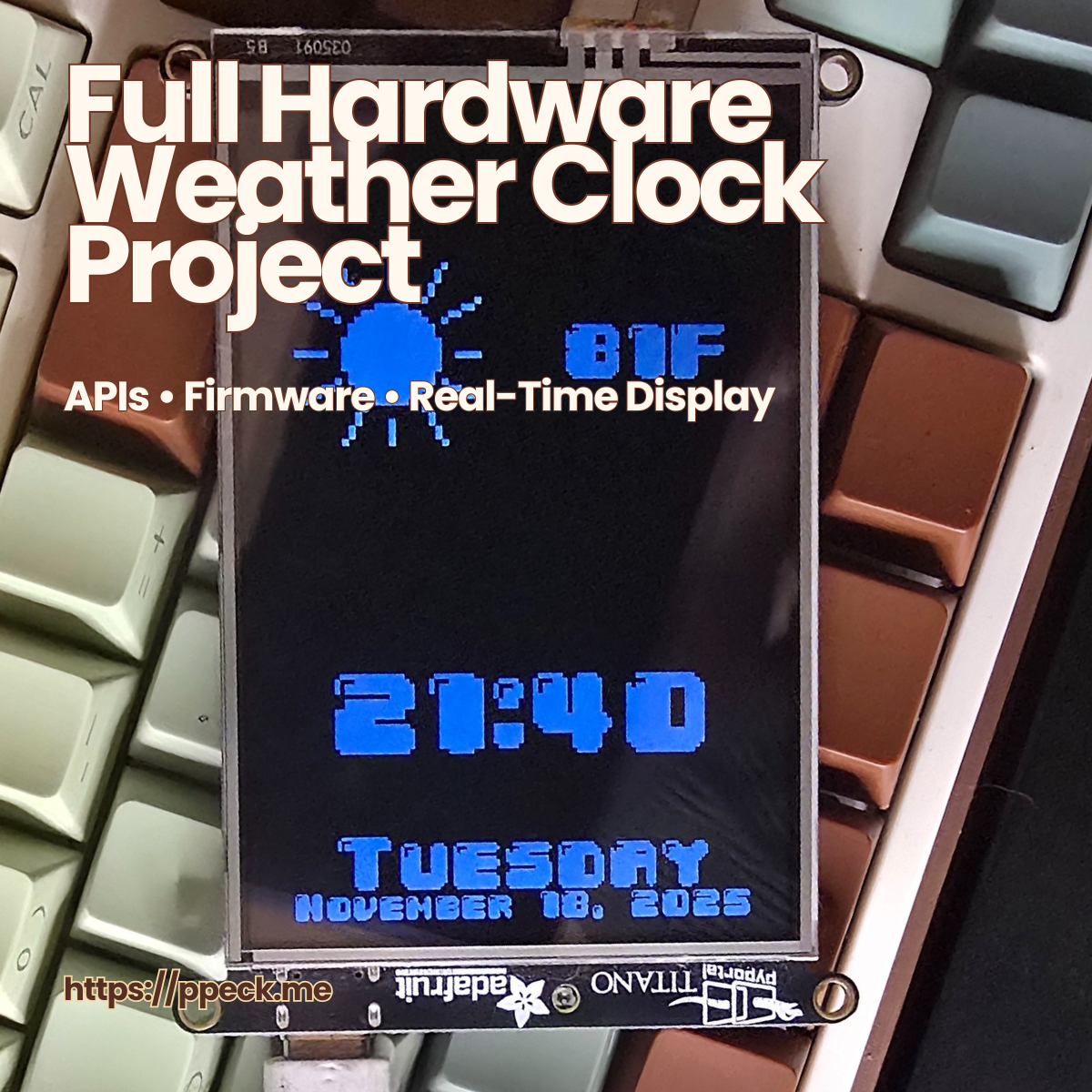
TL;DR: A real, desk‑running firmware project (not a simulator) that integrates Wi‑Fi APIs, UI layout, and hardware constraints into a stable portrait display.
What it is
A portrait‑mode weather + clock display built in CircuitPython for the Adafruit PyPortal Titano (480×320). It refreshes time/date + weather over Wi‑Fi, renders a clean “at a glance” interface, and uses the onboard light sensor for automatic brightness/dimming.
Why it exists
I wanted a complete embedded project that forced me to handle the real things that break on hardware: networking, refresh timing, UI constraints, storage limits, and readability. The Titano is less documented than smaller PyPortal examples, so this became a “learn by building” reference I could trust.
Core features
- Large digital clock with smooth refresh
- Date (weekday + MM/DD)
- Weather (temperature + icon) via Open‑Meteo API
- Portrait UI optimized for 480×320
- Auto brightness via onboard light sensor
- Graceful fallback when offline (keeps running even if the network doesn’t cooperate)
Architecture (simple on purpose)
code.pyis the runtime entrypoint on the device (CIRCUITPY drive)secrets.pyholds Wi‑Fi + timezone config (never committed with real credentials)- bitmap icon sheet + pixel font keep the UI crisp and cheap to render
Setup (fast start)
Prereq: your Titano shows up as the CIRCUITPY drive.
- Install CircuitPython for PyPortal Titano
- Copy these to the board:
code.pyweather_icons_32x32_9.bmpfonts/04b30-20.bdf
- Create
secrets.pyon the board:
secrets = {
  "ssid": "YOUR_WIFI_NAME",
  "password": "YOUR_WIFI_PASSWORD",
  "timezone": "Region/City"
}
What this proves
This is a compact but complete example of:
- Firmware logic + state discipline (the screen must reflect reality)
- External API integration under constrained conditions
- UI design for constrained systems (readable, low‑latency, minimal surprise)
- Debugging on real hardware (timing, network, rendering, storage)
- Operational reliability mindset: graceful failure beats brittle “perfect paths”
Next iterations (roadmap)
- Touch settings menu
- Offline visual indicator
- Minimal UI mode
- Theme variations (high contrast / low‑light)
Links
- GitHub repo: https://github.com/ppeck1/pyportal-titano-weather-clock
- (Optional) Related: Adafruit’s PyPortal Titano weather station guide (good baseline reference)