Map Marker Studio - A General Pin and Map Editor
Open the live map editor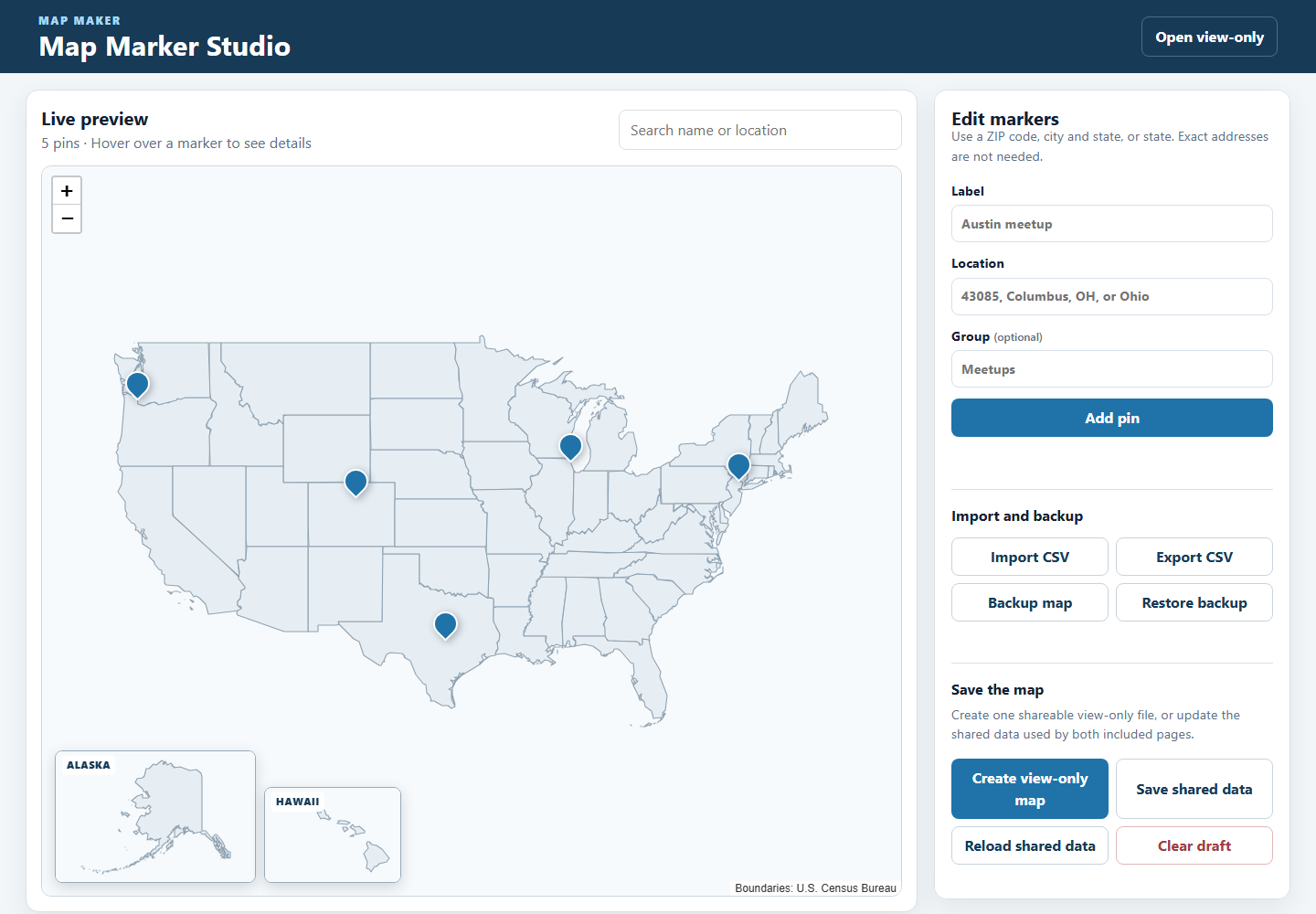
TL;DR: Map Marker Studio turns a list of places into a map. You can add pins one at a time or import a CSV, search and edit the list, and export a map that other people can view without needing an account.
Why I made it
This project started with an idea from someone I worked with: put everyone’s location on a map so a remote team could see where people were.
I liked the idea, so I designed and built a small tool to make it work.
The first version was made for coworkers spread across the United States. Instead of looking at a list of names and locations, we could see everyone as pins on a map.
I also did not want the map to use exact addresses. A ZIP code, city, or state was enough.
After building the first version, I realized the same tool could be useful for other things too: meetups, communities, trips, field work, service areas, or almost any list of places.
Why it is useful
A list can tell you where places are. A map makes it easier to see how they relate to each other.
You can quickly answer questions like:
- Where are most of the pins?
- Are there any empty areas?
- Which places are close together?
- Which pins belong to the same group?
- What happens if a location changes?
- How can I share the map without letting someone edit it?
Map Marker Studio is meant to keep that process simple.
It uses approximate locations instead of exact addresses, and the working copy of the map is stored in the browser.
Walkthrough
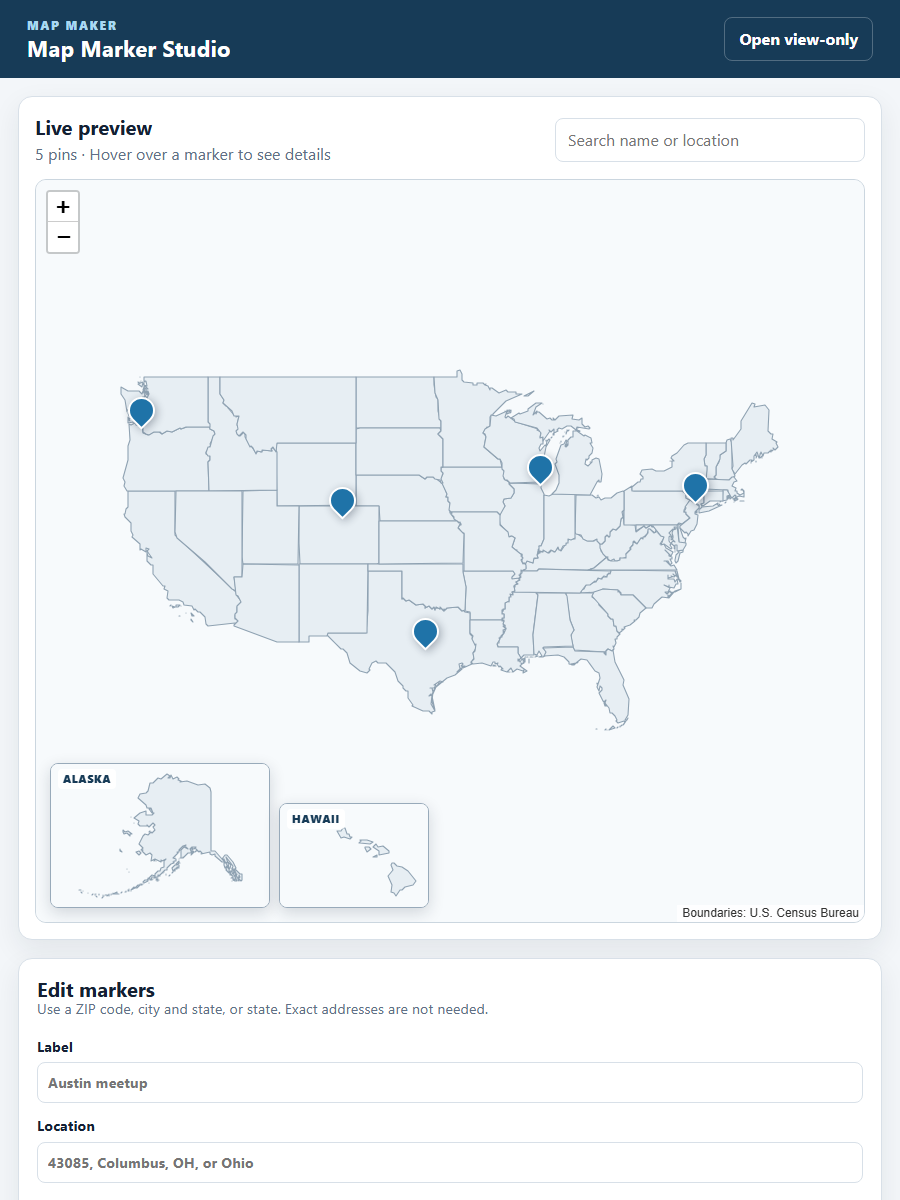
1. Add a name and a place
Enter a ZIP code, city and state, or just a state.
The app finds the location, adds a pin, and updates the map.
You do not need an exact address.
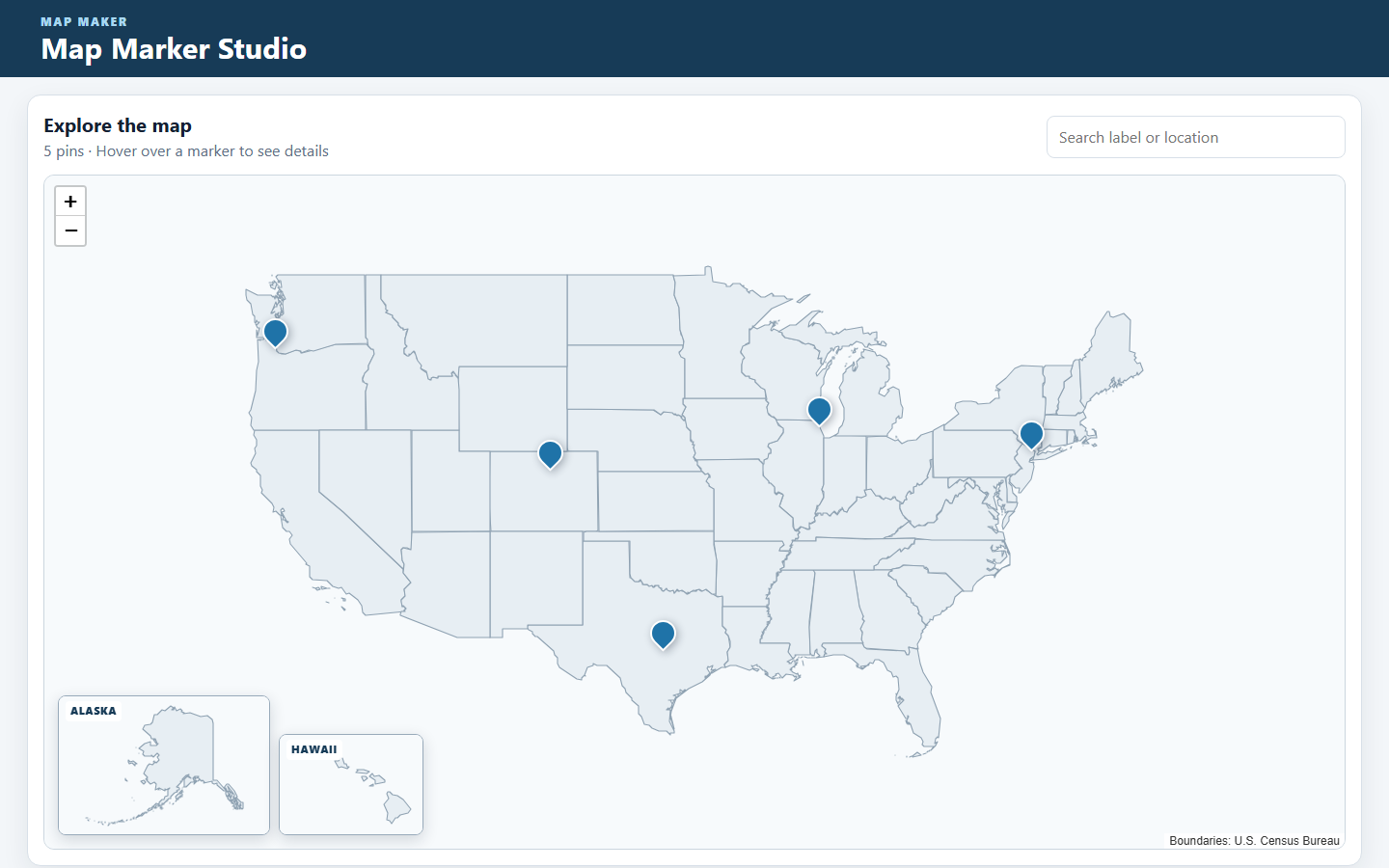
2. See the whole map
The main map shows the continental United States, with Alaska and Hawaii shown in smaller inset maps.
If several pins are in the same place, they are grouped together so they do not all sit on top of each other.
3. Search and edit
You can search the list to filter the pins shown on the map.
You can also edit entries without starting over.
4. Import, save, and share
You can import a CSV if you already have a list of places.
The app also supports:
- CSV export
- JSON backup and restore
- browser-local drafts
- shared data export
- a standalone view-only HTML file
The view-only export puts the map into a single HTML file that you can send to someone else.
They can open the map without an account and without access to the editor.
What I learned
One thing I liked about this project was taking a simple idea and figuring out how to make it useful.
The idea itself was straightforward: put people’s locations on a map.
The work was in deciding how the tool should behave, how people would add and edit locations, how much location detail was actually needed, and how the finished map could be shared.
I also learned that more detail is not always better.
For this project, an approximate location was enough. There was no need to collect or show someone’s exact address.
The first version was built for one specific group. I later turned it into a more general tool that could work for other kinds of maps too.
What this demonstrates
- Taking an idea and turning it into a working product
- Designing a simple workflow around adding, editing, and viewing map data
- Taking a one-off internal tool and making it reusable
- Using approximate locations instead of collecting more personal information than needed
- Keeping data in the browser instead of requiring an account or database
- Supporting simple import, backup, editing, and sharing
- Using a map to make a list of places easier to understand
Technical notes
Map Marker Studio is built with plain HTML, CSS, and JavaScript.
It uses Leaflet for the map and includes the state boundary data with the project.
State locations work offline. ZIP code and city/state searches use the public Zippopotam.us API.
The app does not need an account, API key, or hosted database.
The view-only export saves the current map as a single HTML file so it can be shared on its own.
The public GitHub repository only includes the general version of the tool and fake example pins. It does not include real names, email addresses, employer information, or any of the private data from the original version.